
Editor Support
A language is much more enjoyable with some great editor support. At the moment, we have syntax highlighting for VSCode, Emacs and Neovim, and LSP integration in VSCode and Neovim. You can use Hylo’s TextMate grammar and Hylo’s language server to add support for other editors.
Visual Studio Code
Section titled “Visual Studio Code”Search for the extension named “Hylo” in the VSCode marketplace:
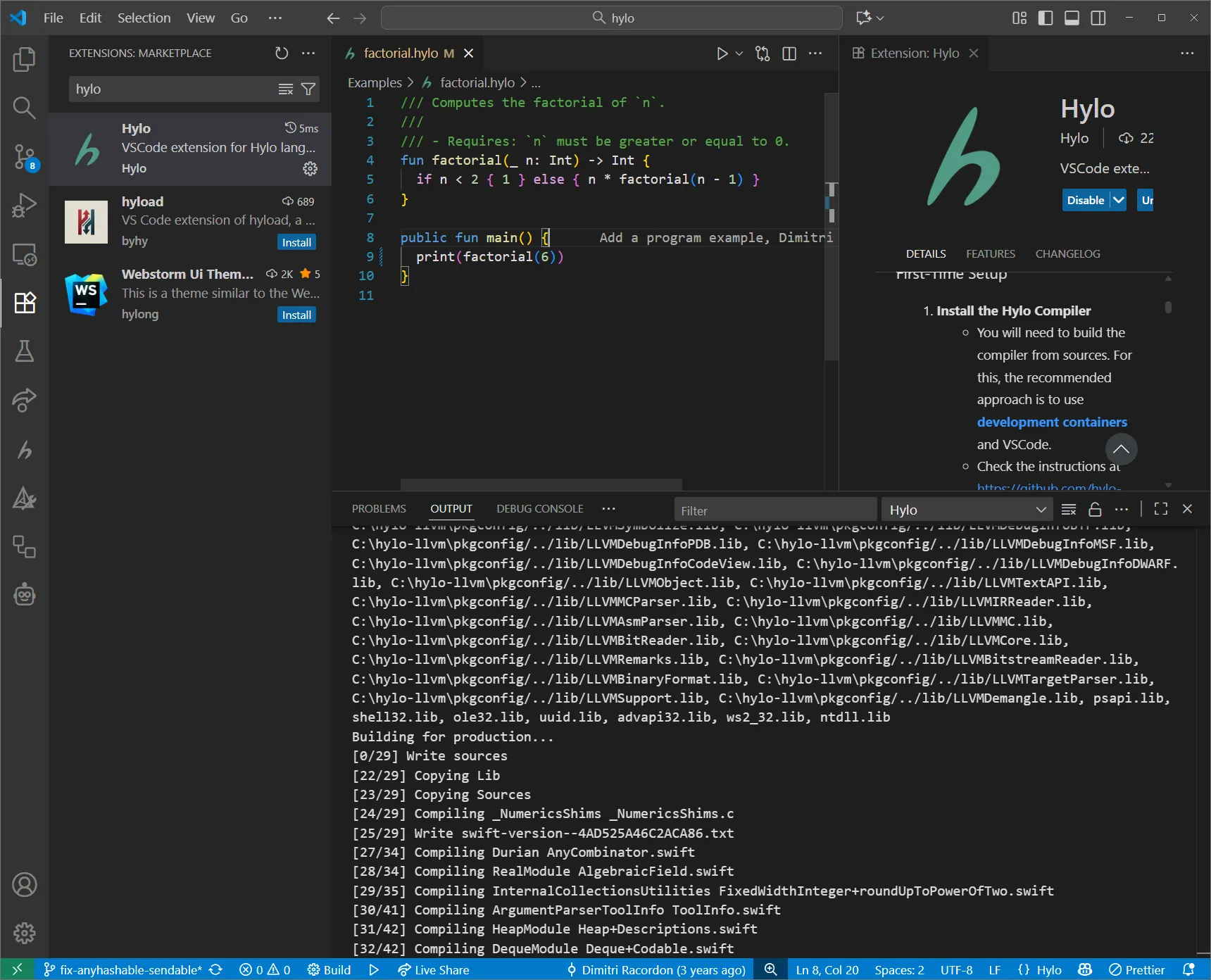
This extension also adds code execution support, so if you want to set that up, check out its documentation. Note that the code execution feature currently only supports the old compiler, so you may want to disable the LSP which uses the new frontend.
Neovim
Section titled “Neovim”Neovim has Hylo support via LSP. You can set it up using Mason and nvim-lspconfig. Here is a full minimal init.lua example with Hylo LSP support. This will automatically download and enable the Hylo language server from the Mason registry.
-- Bootstrap lazy.nvimlocal lazypath = vim.fn.stdpath("data") .. "/lazy/lazy.nvim"if not (vim.uv or vim.loop).fs_stat(lazypath) then    local lazyrepo = "https://github.com/folke/lazy.nvim.git"    local out = vim.fn.system({ "git", "clone", "--filter=blob:none", "--branch=stable", lazyrepo, lazypath })    if vim.v.shell_error ~= 0 then        vim.api.nvim_echo({            { "Failed to clone lazy.nvim:\n", "ErrorMsg" },            { out,                            "WarningMsg" },            { "\nPress any key to exit..." },        }, true, {})        vim.fn.getchar()        os.exit(1)    endendvim.opt.rtp:prepend(lazypath)
-- Add file type detection for Hylo (for Neovim versions <= 0.11.5)vim.filetype.add({    extension = {        hylo = "hylo",    },})
-- Setup pluginsrequire("lazy").setup({    {        "neovim/nvim-lspconfig",        dependencies = {            "williamboman/mason.nvim",            "williamboman/mason-lspconfig.nvim",        },        config = function()            require("mason").setup()            require("mason-lspconfig").setup({                ensure_installed = {                    "lua_ls",                    "hylo_ls", -- Install Hylo language server using Mason                },                automatic_enable = true            })        end    }})
See this article for more details on the development of the Neovim integration: Add Neovim Support for Your Language.
Emacs: Hylo mode
Section titled “Emacs: Hylo mode”We have an Emacs mode for Hylo in this repository, which provides basic syntax highlighting. It is a fork of Swift’s Emacs mode, so expect (and report) some inconsistencies. LSP support is not yet integrated.
Zed, IntelliJ, and Others…
Section titled “Zed, IntelliJ, and Others…”You can use the Hylo’s TextMate grammar of Hylo to easily add syntax highlighting support to other editors. If you have created an extension, please let us know so that we can promote it here, and possibly move it to the Hylo GitHub organization!